
Here are four tips that will help you become familiar with these keys without difficulty.
1. Write them out on a paper and paste it on the wall: These can be a convenient way to start your journey to becoming a master at using these keys.
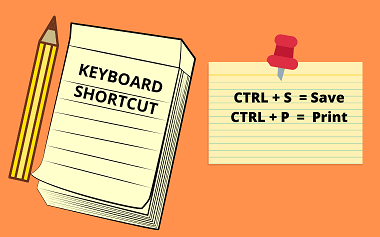
This will bring the visibility of these keys closer to you and in return spur your interest in using them when the need arises. There are a ton of keyboard shortcuts and it may not be realistic trying to put them all in your head. It is therefore advised that you work with only those that you need to use on a regular basis.
2. Be deliberate about using them: We must deliberately choose to use these shortcuts when there is a need to perform any system action that require using the pointing device and also have a corresponding keyboard cut that we can use.

If this is not done, you will soon forget looking at what is pasted on the wall and start clicking the mouse.
3. Committing them to heart: If you want to remember anything, you must first commit it to heart. Therefore, memorizing these keys is a very crucial step to getting familiar with them. You don’t need to memorize all the shortcuts that there is.

Likewise, you don’t need to learn all the short cuts across all applications, I don’t think that is possible too. Stick with those application shortcuts you use on a regular basis like those ones that are needed to perform some standardized operations. E.g. those ones I listed above. Also if the bulk of your work is done on a particular application e.g excel,you will need to get familiar with the shortcuts on that application as well. A Data Analyst should be concerned with learning the shortcuts needed to work effectively on an Integrated Data Science Environment application e.g Jupyter Notebook.
4. Constant Use: The more you use these keys, the more familiar you will get with them.

Practice makes perfect. This is applicable to every learning process. If this is not done, you will soon forget all you have learnt.
Conclusion
In conclusion, using the keyboard shortcut comes with a lot of benefits. It definitely makes our work less cumbersome and increases productivity. You don’t need to be a Technology guru to be able to use them effectively. All you need to do is to follow the steps I listed above and you will soon forget there is a mouse beside you.
Connect with me on linkedIn for more insightful articles


Leave a comment