
So where do you find the Keyboard Shortcuts?
Most times the keyboard shortcuts are located in the program menu of the application while some are already inscribed on the keyboard e.g. those used for audio and video programs. Keyboard shortcuts can also come with stickers which can be applied to a regular keyboard.
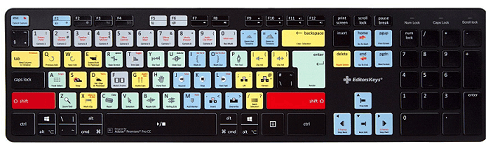
Unlike the UNIX Operating System, Windows and Mac OS are not flexible with users customizing their Keyboard shortcuts. They believe this practice will help eliminate confusion and allow the ease of use for all users. Furthermore, different applications have varying keyboard shortcuts specific to them but some of these commands have been standardized across all applications. Examples of such commands are listed below. Note that the ⌘command key is applicable to Mac Os and the Control key is used on Windows.
- ⌘ C : Copy
- ⌘ V : Paste
- ⌘ Q : Quit
- ⌘ W : Close Window
- ⌘ I : Italicize text
- ⌘ U : Underline text
- ⌘ B : Bold text
- ⌘ O: Open
- ⌘ P : Print
- ⌘ A : Select All
- ⌘ S : Save
- ⌘ F : Find
In our day to day activities, we often prefer using a shortcut to taking a longer route or process when performing a particular task but this is not the case with using the keyboard shortcuts. A lot of people would rather use the mouse and the menu commands to perform a computing operation. This may largely be due to the difficulty of remembering these shortcuts when there is a need to use them. Another reason could be that many users are not familiar with them and also find the GUI more interactive when used with a pointing device.
Contrary to the aforementioned, the truth is that the keyboard shortcuts are very easy to use, possibly easier than using the mouse. However, the challenge is how to get acquainted with them.


Leave a comment